AI-Powered Enterprise Asset Management
Tackle Downtime with TAG Mobi and Microsoft Business Central

TAG Mobi is the most complete AI-powered EAM and CMMS for Microsoft D365 Business Central, helping enterprises manage assets, schedule predictive maintenance, and reduce downtime.




Unlock AI built for maintenance
Reduce admin, increase wrench time

Let AI handle data entry, forms, and reports so your team spends more time fixing and less time typing.
Scale expertise at a lower cost

Capture and share expert knowledge with AI-guided insights and contextual recommendations.
Streamline complex workflows

Automate scheduling, preventive maintenance planning, and auditing with reliable, purpose-driven AI agents.

Asset lifecycle management
Track, optimize, and extend asset performance from acquisition to retirement.
TAG helps you manage every stage of the asset lifecycle to maximize ROI and reduce total cost of ownership.
Centralized asset registry with condition tracking
Automated depreciation and warranty tracking
Visibility into asset performance history
Tools to plan upgrades or decommissioning
Work smarter with mobiMentor AI.
TAG Mobi helps teams move faster with embedded AI features that guide technicians, simplify admin work, and turn requests into action.
Convert Smart Requests into work orders and guided instructions
Generate Work Order Summaries for faster review and follow-up
Automate repetitive admin tasks like POs, reporting, and time capture
Guide technicians with in-context support across workflows
Help managers improve visibility, consistency, and response time
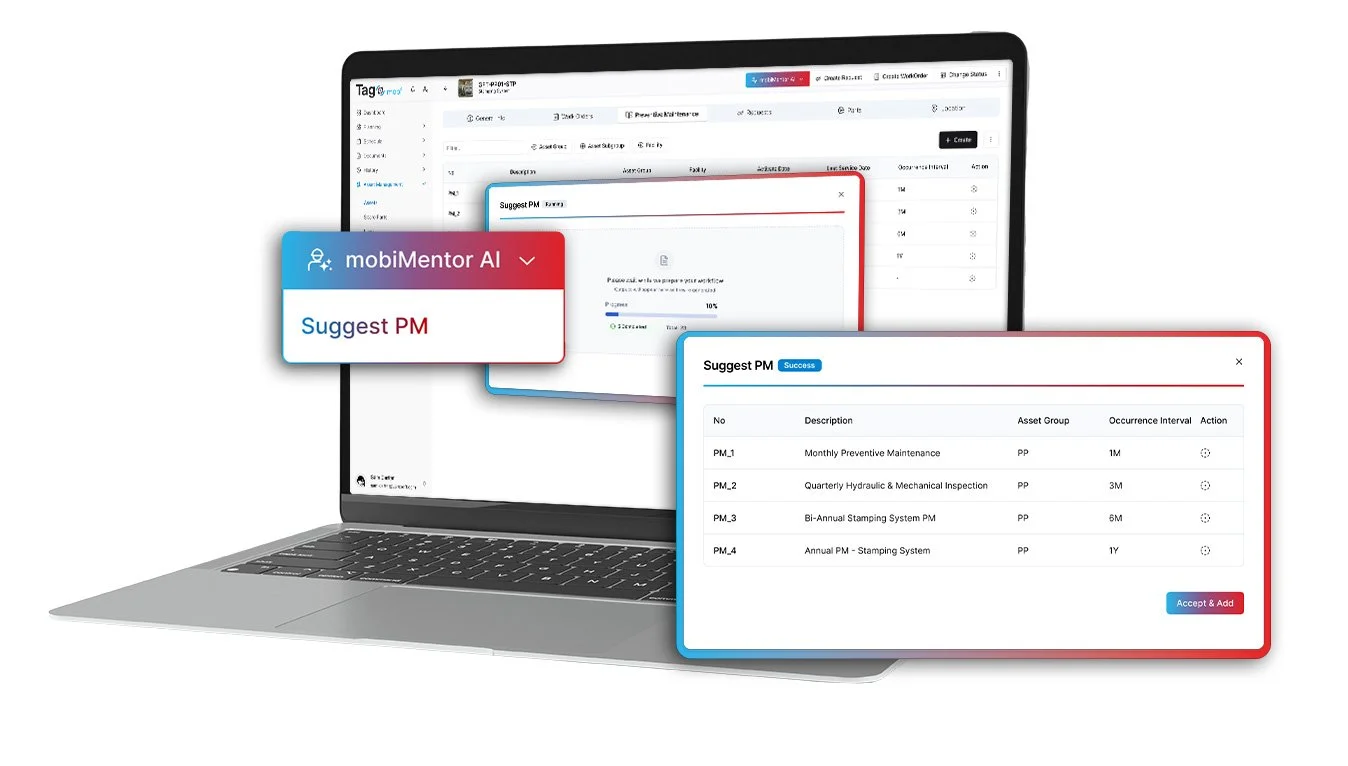
AI-powered maintenance

Work order management
Assign, execute, and track maintenance tasks with ease.
Ensure the right technician is working on the right job at the right time, every time.
Create, prioritize, and dispatch work orders
Track progress with real-time status updates
Attach manuals, photos, and instructions
Complete tasks from mobile devices, online or offline

Inventory and spare parts management
Never run out of critical parts again.
TAG helps you manage inventory levels, reduce stockouts, and avoid unnecessary downtime.
Real-time inventory visibility across locations
Auto-replenishment triggers for spare parts
Link parts directly to work orders and asset types
Reduce carrying costs and overstock risks

Mobile and remote access
Complete maintenance forms anywhere.
Empower your workforce with mobile access to everything they need—no matter where they are.
Access work orders, asset info, and inventory from any device
Scan QR codes or barcodes to identify assets instantly
Use AI guidance for onboarding and daily tasks
Syncs with Microsoft Business Central in real time

Advanced analytics and reporting
Make data-driven decisions that improve maintenance performance.
TAG delivers clear insights into maintenance KPIs with customizable dashboards and reports.
Track uptime, asset health, technician productivity
Use built-in Power BI templates or create your own
Export reports for audits or compliance
Identify bottlenecks and cost-saving opportunities
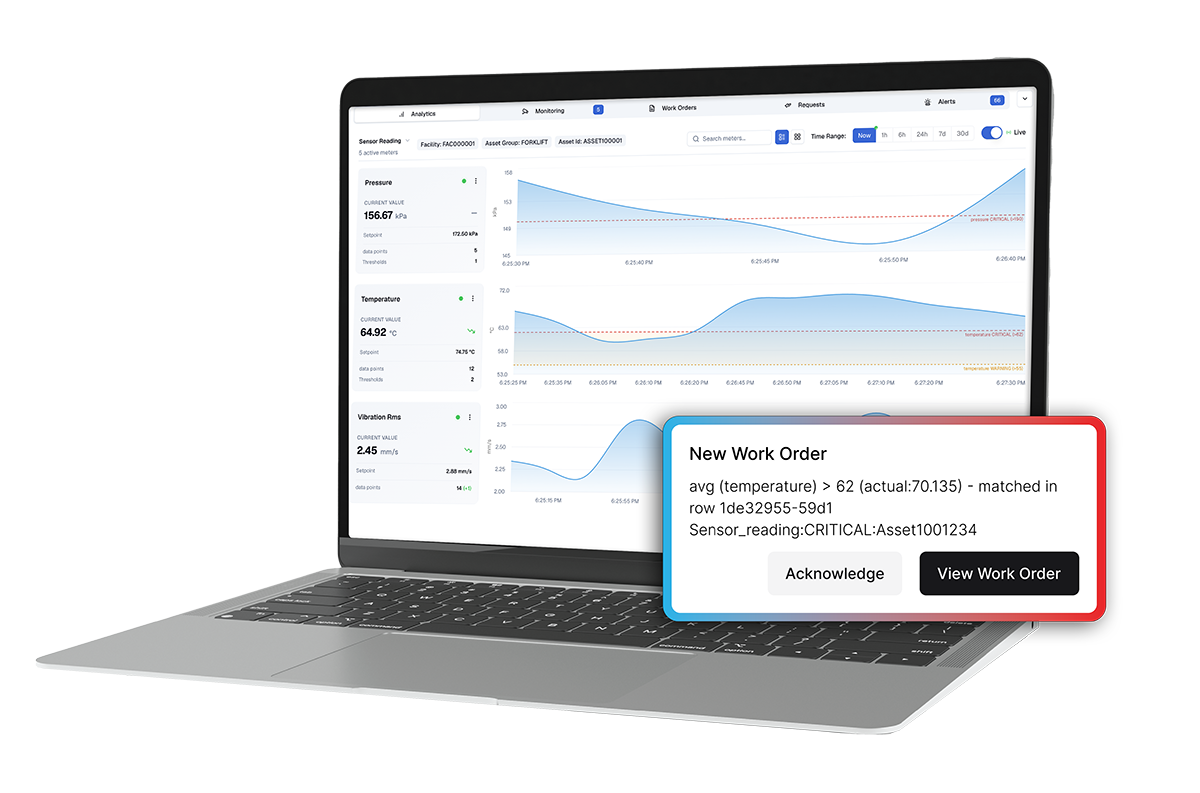
Turn asset signals into automated maintenance actions.
TAG Mobi helps you shift from reactive work to proactive maintenance by combining preventive schedules, asset data, and IoT-driven insights in one workflow.
Trigger work orders based on usage thresholds, risk, or sensor alerts
Connect sensor, SCADA, and telemetry data to maintenance workflows
Detect anomalies and forecast potential failures earlier
Reduce alert noise with escalation and suppression controls
Track asset health and maintenance activity across sites with dashboards
IoT and predictive maintenance
Verosoft x BEMAS Webinar: Optimize Asset Lifespan and Investment with Preventive Maintenance in Microsoft ERP Systems
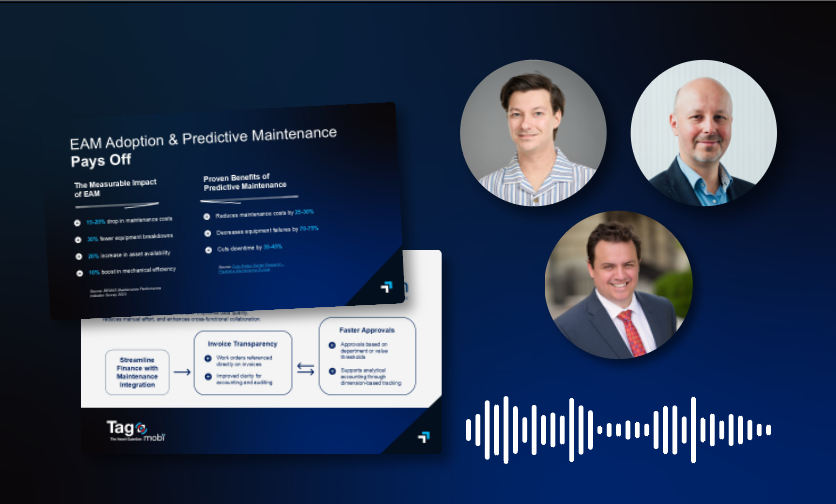
Watch the full recorded live session on reducing downtime and maximizing ROI with preventive and predictive maintenance built into Microsoft ERP. Tune in for an expert-backed session with real-life use-cases, live demos, and actionable takeaways for maintenance leaders looking to transform their operations inside the Microsoft ecosystem.


What is The Asset Guardian (TAG) Mobi?
TAG Mobi is the chosen preventive maintenance and asset management solution (EAM) for Microsoft Dynamics 365 Business Central, designed to deliver reliable manufacturing asset solutions that reduce risk and downtime.
TAG Mobi prevents downtime, maximizes asset performance, gives more wrench time, and facilitates training with the support of the mobiMentor AI ecosystem and intuitive dashboards.
No silos. No extra software. Just smooth integration and quick adoption so that maintenance teams can work faster, and managers get the data they need to make decisions.





With The Asset Guardian (TAG), our downtime has dropped more than 38% compared with prior to implementing CMMS, which adds to the return on investment or the revenue that we're making.
–Balan Vasant Kumar, Maintenance Lead at Amin Renewables
Explore TAG demos
TAG Mobi Quick Peek
See how your workforce can manage work orders, assets, and inspections from anywhere—no desktop required.


TAG Mobi in Business Central
Discover how TAG brings maintenance, inventory, and asset management together—seamlessly inside Microsoft BC.
mobiMentor Agentic AI ecosystem
Experience mobiMentor AI in TAG Mobi EAM and discover how it accelerates PM strategies, locates inventory parts.
TAG Mobi - Dashboards and IoT

Explore how TAG Mobi enables IoT connectivity and personalized dashboards to help you monitor assets and prevent breakdowns.
TAG Mobi – All Features

See what’s possible with all the powerful features included in TAG Mobi — from asset hierarchy to location management.
As featured in


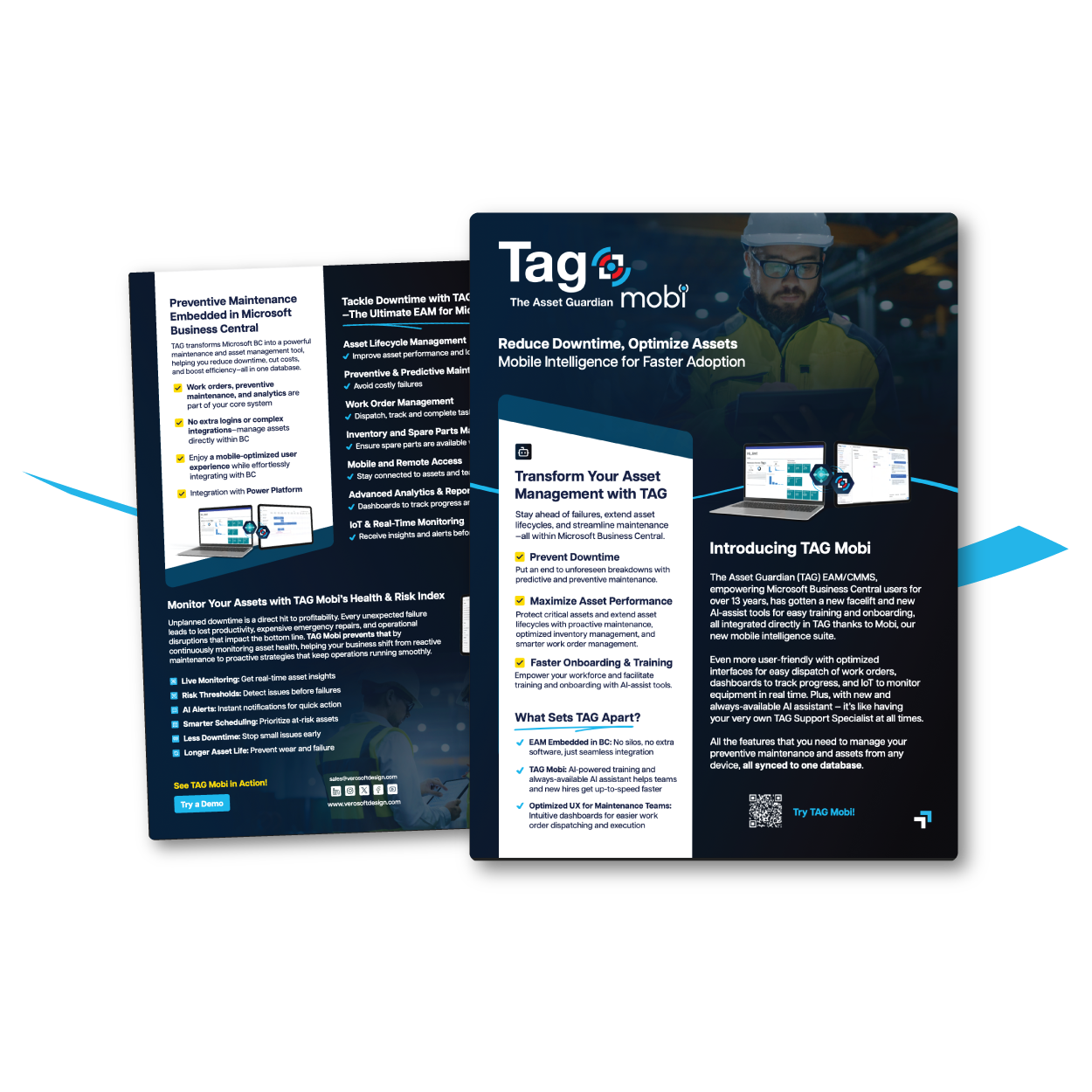
Introducing TAG Mobi: Mobile Intelligence for Faster Adoption
Download the full brochure to see how TAG Mobi turns Microsoft Dynamics 365 Business Central into a powerful preventive maintenance solution.
Connect IoT signals to predictive maintenance workflows with TAG Mobi
TAG Mobi helps you turn sensor, SCADA, and equipment data into earlier maintenance action.
Monitor asset conditions using IoT, SCADA, and industrial control data
Detect abnormal behavior before it becomes downtime
Trigger work orders when asset signals require action
Reduce alert noise with escalation and suppression rules
Connect predictive maintenance activity to asset history, labor, parts, and cost
Accelerate work and onboarding with AI
Empower your team with AI that understands your environment
Our built-in AI assistance tools provide contextual guidance based on your actual data, helping users navigate the system, understand next steps, and adopt processes tailored to your operations.
• Step-by-step support directly within the interface
• Context-aware recommendations based on user role and task
• Faster onboarding for new hires and smoother transitions for existing teams
• Adaptive guidance that aligns with your specific assets, workflows, and data
EAM embedded in Microsoft Business Central

TAG is not just compatible with Microsoft BC,
its built inside it.
No data silos, no duplicate entries. Maintenance, inventory, and financials live in one seamless system.
Fully embedded EAM in Business Central meaning no extra logins or complex integrations

Work orders, preventive maintenance, and analytics are part of your core system
Enjoy a mobile-optimized experience while effortlessly integrating with BC
Fully powered by mobiMentor AI, an Agentic AI ecosystem built for maintenance and asset management.
Integration with Power Platform
Built for your company’s specific needs

Manufacturing industry
Minimize downtime, optimize inventory, and streamline maintenance to reduce costs and maximize productivity, all while ensuring consistent product quality.

Facility management
Easily control multi-site operations with IoT technology and multi-language features, enabling real-time monitoring and strict safety protocols across global locations.

Renewable energy
Optimize renewable energy assets with real-time insights for solar, wind, and storage. Use IoT-driven analytics for root-cause analysis to boost efficiency and extend asset lifespan.
Our partners are helping to take Business Central further
From affiliates to implementors, our partners help businesses optimize operations, cut downtime, and boost performance. Explore our network to leverage their expertise and drive growth.
Ready to tackle downtime with scalable asset management software?
Please describe your project and the product you are interested in.
Frequently Asked Questions
How does The Asset Guardian (TAG) EAM integrate with our existing systems?
The Asset Guardian (TAG) is fully embedded within Microsoft Dynamics 365 Business Central. For other ERP or financial systems, The Asset Guardian (TAG) provides an API to automate data flow and reduce manual entry.
Can the Asset Guardian (TAG) be customized to fit our unique processes?
Yes, workflows and reports can be tailored to your specific requirements.
Are The Asset Guardian (TAG) EAM solutions scalable?
Absolutely, The Asset Guardian (TAG) is flexible and scalable, designed to grow with your evolving business needs.
Is The Asset Guardian (TAG) available on mobile devices?
Yes, The Asset Guardian (TAG) EAM is available on mobile devices through the TAG Mobile App, available at the App Store for iOS devices and the Google Play Store for Android Devices.
What languages are supported by The Asset Guardian (TAG) software?
The TAG Mobile App and TAG Mobi are available in 20 languages, including French, Spanish, and German. The Asset Guardian (TAG) for Microsoft Dynamics 365 Business Central supports over 40 languages, ensuring accessibility for a global user base.
What is mobiMentor AI?
mobiMentor AI is a specialized agentic AI ecosystem built for maintenance and asset management business processes. It is available in TAG mobi EAM and includes specialized maintenance agents, tailored agentic AI workflows for asset management, and an Agentic AI Workflow Builder to address specific business needs. It can interact with maintenance experts through text and voice commands and uses contextual EAM data to support reliable and compliant workflows.
What is the mobiMentor Agentic AI Workflow Builder?
The Agentic AI Workflow Builder is a module within mobiMentor AI and TAG mobi that enables users to create maintenance-specific Agentic AI Workflows by dragging and dropping agents, triggers, and requests. It also allows users to design and deploy their own specialized AI agents to meet specific operational needs.