AI pilots are easy to launch, but proving their value is another challenge. Discover how AI orchestration connects AI agents, data, and business applications to automate workflows, reduce manual handoffs, and move AI initiatives into everyday operations.
What you will learn in this article:
What AI orchestration is, how it works, and its core components.
Why AI orchestration matters for business automation and scaling AI beyond pilot projects.
How AI agents, data, and business systems work together to automate multi-step workflows.
The differences between AI orchestration, AI workflow automation, and traditional automation.
How governance, security, and human oversight support AI-driven workflows.
How to implement AI orchestration, measure business value, and scale automation across your organization.
AI pilots are easy to launch but proving their value is another story. Companies are investing in AI tools and agents, but many initiatives struggle to move beyond experimentation. Disconnected systems, manual handoffs, and limited visibility into results make it difficult to turn promising technology into measurable business outcomes.
AI orchestration addresses these challenges by connecting agents, data, and business applications to automate multi-step processes across the organization.
In this article, we'll explore what AI orchestration is, how it differs from traditional automation, and how businesses can use it to move beyond isolated AI pilots and put AI to work across their existing systems.
What is AI orchestration and what are its core components?
AI orchestration is the coordination of AI agents, models, data, and business applications to automate multi-step workflows. It manages how these components interact, what information they can access, and how tasks move between systems, including when human approval is required.
Organizations need to enable AI tools and agents to work together within existing business processes rather than operate as separate applications.
Core components of AI orchestration
| Component | Role in AI orchestration |
|---|---|
| AI agents | Perform assigned tasks, interpret information, and take permitted actions across applications. |
| AI models | Provide capabilities such as language understanding, content generation, classification, and prediction. |
| Business data | Supplies the information and context agents need to complete their tasks and make informed decisions. |
| Connectors and APIs | Link agents and workflows to existing applications, databases, and external services. |
| Workflow coordination | Manages task sequences, dependencies, handoffs, and exceptions across the process. |
| Governance and security | Establishes permissions, approval requirements, monitoring, and accountability for AI actions. |
These components allow organizations to coordinate AI-driven activities across departments and applications while retaining control over the information accessed and actions performed.
Why does AI orchestration matter for business automation?
Automating an individual task is relatively straightforward. Automating a complete business process often involves several applications, decisions, and approvals.
When AI tools operate independently, employees may still need to transfer information, validate results, and move work between systems manually. AI orchestration coordinates these steps, allowing organizations to automate more complex processes while maintaining visibility and control.
Without a coordinated approach, businesses can encounter several challenges:
Disconnected systems: AI tools may access information from one application but lack the connections needed to complete work in another.
Manual handoffs: Employees must transfer information or initiate the next step after an AI task is completed.
Limited visibility: IT teams struggle to track workflow progress, identify failures, and understand where intervention is required.
Inconsistent controls: Separate tools may apply different permissions, approval requirements, and security policies.
Difficulty demonstrating ROI: Measuring the impact of isolated tasks does not necessarily show how much time or cost has been reduced across a complete business process.
Consider an AI tool that extracts information from incoming supplier invoices. The extraction may be automated, but employees could still be responsible for comparing the information against purchase orders, requesting approvals, and updating the ERP.
AI orchestration allows those activities to be coordinated as part of a larger workflow, reducing the number of manual steps needed to complete the process.
For organizations that are under pressure to demonstrate the value of their AI investments, this creates an opportunity to measure results at the process level rather than evaluating individual AI tools in isolation.
How does AI orchestration enable end-to-end automation?
AI orchestration enables end-to-end automation by coordinating how AI agents, applications, and workflows exchange information and execute tasks. Instead of managing each step separately, organizations can establish processes that move work between systems, respond to exceptions, and request human input when necessary.
An orchestrated workflow typically involves five stages:
Gather information and context: Retrieve relevant information from business applications, documents, databases, or operational systems.
Coordinate tasks and agents: Determine which actions are required and assign work to the appropriate agents, applications, or automation tools.
Execute actions across systems: Process information, update records, create tasks, or initiate actions through connected applications.
Manage exceptions and approvals: Identify situations that require additional information, an alternative action, or human review.
Record results and monitor outcomes: Track completed actions, workflow status, exceptions, and performance metrics.
A workflow may involve one AI agent or several specialized agents working together. It can also combine AI-driven actions with traditional automation and human decisions.
Example: Automating an invoice approval workflow across business systems
Consider a procurement team processing supplier invoices using Microsoft Dynamics 365 and Microsoft 365.
An AI-orchestrated workflow could follow these steps:
Receive and extract information: An AI agent reads an incoming invoice and identifies the supplier, purchase order number, amounts, and other relevant details.
Verify information: The workflow retrieves the corresponding purchase order from Dynamics 365 and compares the records.
Identify exceptions: If the invoice does not match the purchase order, the workflow creates a review task and notifies the appropriate employee through Microsoft Teams.
Request approval: The employee reviews the discrepancy and approves, rejects, or requests a correction.
Complete the process: Following approval, an authorized action updates the ERP and records the outcome.
Rather than requiring employees to coordinate each application manually, orchestration manages the sequence of tasks and maintains the information needed to continue the process.
This is an illustrative example. The available actions and approval controls depend on the integrations and capabilities of the AI orchestration platform.
What connectors and integrations matter?
AI orchestration depends on access to the systems where business information is stored and work is performed.
Connectors and APIs allow AI agents to retrieve information, interact with applications, and execute permitted actions within existing systems. Without these connections, an agent may be able to provide recommendations but cannot necessarily act on them.
Common enterprise integrations include:
ERP and finance systems: Microsoft Dynamics 365 and other applications used to manage purchasing, inventory, financial records, and operations.
Industrial systems: SCADA, IoT platforms, and operational data sources that provide information about equipment, production, and physical processes.
CRM platforms: Applications containing customer information, sales activities, and service records.
Collaboration tools: Microsoft Teams, Outlook, and other platforms used for communication, notifications, and approvals.
Document repositories and databases: SharePoint, business databases, and other sources of organizational information.
For example, an industrial organization could use operational data from a SCADA system to identify a condition requiring attention. An AI-orchestrated workflow could then retrieve related information, notify the appropriate team, and initiate an authorized business process.
AI orchestration vs. AI workflow automation vs. traditional automation
Traditional automation, AI workflow automation, and AI orchestration can all reduce manual work, but they serve different purposes.
Traditional automation executes processes using predefined rules or instructions. Robotic Process Automation (RPA), for example, can automate repetitive interactions with software interfaces.
AI workflow automation incorporates AI capabilities into automated processes. These capabilities may include interpreting documents, classifying information, generating content, or making context-dependent decisions.
AI orchestration coordinates AI agents, models, data, and applications so they can work together across multiple tasks and systems.
These approaches are not mutually exclusive. An orchestrated process may use traditional automation, AI-powered workflow steps, and multiple agents to complete a business objective.
Comparison: Traditional automation, AI workflow automation, and AI orchestration
| Capability | Traditional automation, including RPA | AI workflow automation | AI orchestration |
|---|---|---|---|
| Primary purpose | Execute defined tasks and processes | Incorporate AI into automated workflows | Coordinate AI capabilities and activities across workflows and systems |
| Decision-making | Primarily predefined rules | Combines rules with AI-supported decisions | Coordinates model-driven decisions, agents, and workflow logic |
| Workflow flexibility | Typically follows configured steps | Can interpret more varied inputs and conditions | Can coordinate adaptive, multi-step processes |
| AI agents | Not generally required | May incorporate AI agents | Can manage one or multiple agents |
| Cross-system coordination | Possible through configured integrations | Possible through AI-enabled integrations | Focuses on coordinating AI-related activities across connected systems |
| Exception handling | Rules, alerts, and human intervention | Rules, AI interpretation, and human review | Coordinates automated responses, agent actions, and human approvals |
| Example | Transfer invoice information between applications | Extract and classify invoice information using AI | Coordinate invoice verification, exception handling, approval, and ERP updates |
Where does multi-agent orchestration fit?
Multi-agent orchestration is the coordination of multiple AI agents working toward a shared objective.
For example, one agent might retrieve information, another analyze it, and a third initiate an authorized action. Orchestration manages how these agents exchange information, coordinate tasks, and complete the workflow.
Multi-agent orchestration is one application of the broader concept of AI orchestration. Not every orchestrated workflow requires multiple agents.
Adding more agents does not automatically make a process more effective. Their responsibilities, integrations, and interactions must be coordinated to produce reliable results.
What governance, security, and human oversight are required?
When AI agents can access business data and execute actions across applications, organizations need clear controls over what they can do.
AI orchestration can help manage permissions, approvals, and monitoring across connected workflows, giving businesses visibility into agent activity and control over actions that require human review.
Important governance and security considerations include:
Role-based permissions: Define which systems, data, and actions an agent is authorized to access.
Human approvals: Require employee review before sensitive, high-impact, or financially significant actions are executed.
Audit trails: Record agent activity, workflow decisions, system interactions, and approvals.
Data protection: Apply appropriate security controls to information shared between agents and connected applications.
Monitoring and alerts: Identify workflow failures, unexpected actions, and conditions requiring intervention.
Agent and model management: Maintain oversight of the AI capabilities, configurations, and policies used within business processes.
How should approval and escalation work?
Human oversight is particularly important when automated actions carry financial, operational, or security consequences.
For example, an AI agent might prepare a supplier purchase order using information from an ERP system. The workflow could automatically route the order to a purchasing manager when the value exceeds a predefined threshold.
Once approved, the workflow can continue with the next authorized action. If approval is rejected or additional information is needed, the process can follow a different path.
This allows organizations to automate routine steps while keeping designated decisions under human control.
Approval requirements should reflect the type of action, the associated risk, and the organization's existing policies.
How do you move from AI pilots to operational deployment?
Moving AI orchestration into daily operations requires more than connecting a few AI tools. Organizations need reliable access to business systems, clearly defined workflows, appropriate governance, and ways to measure results.
Starting with a specific process and measurable objectives can help teams evaluate performance before expanding automation to additional workflows.
Six steps to implementing AI orchestration
1. Assess existing systems and data
Identify the applications, information, and integrations involved in the process. Determine whether the required data is accessible, reliable, and suitable for AI-driven workflows.
2. Select a measurable use case
Choose a business process with clear objectives, defined responsibilities, and opportunities to reduce manual work. Establish how success will be evaluated before implementation begins.
3. Connect the required applications
Use secure connectors and APIs to give agents and workflows appropriate access to existing systems. Reuse established integrations where possible to reduce unnecessary complexity.
4. Establish governance
Define what agents are authorized to do, which actions require approval, and how activity will be monitored and recorded.
5. Test the workflow
Evaluate the process under realistic conditions, including incomplete information, system errors, unexpected inputs, and approval requirements. Confirm that exceptions are handled appropriately before enabling broader automation.
6. Measure results and expand
Monitor workflow performance, review failures, and refine the process. Once the workflow meets its objectives, assess opportunities to apply the same approach to additional business activities.
How can businesses measure the value of AI orchestration?
To demonstrate the impact of AI orchestration, organizations should evaluate outcomes across the complete business process.
Useful metrics include:
Process completion time: How long it takes to complete a workflow from beginning to end.
Error and exception rates: How frequently the process encounters problems or requires additional review.
Manual work reduced: The amount of employee time spent on repetitive steps before and after automation.
Successful automated completions: The proportion of workflows completed without unplanned intervention.
Compliance and audit coverage: Whether required approvals, controls, and activity records are maintained.
By measuring the performance of complete workflows, organizations can assess whether their AI investments are producing improvements in day-to-day operations.
Put AI Orchestration to Work with Verovia
AI orchestration gives organizations a way to coordinate AI agents, data, and applications to automate work across existing business systems. With the right integrations, permissions, and oversight, businesses can move beyond isolated AI pilots and introduce automation into everyday operations.
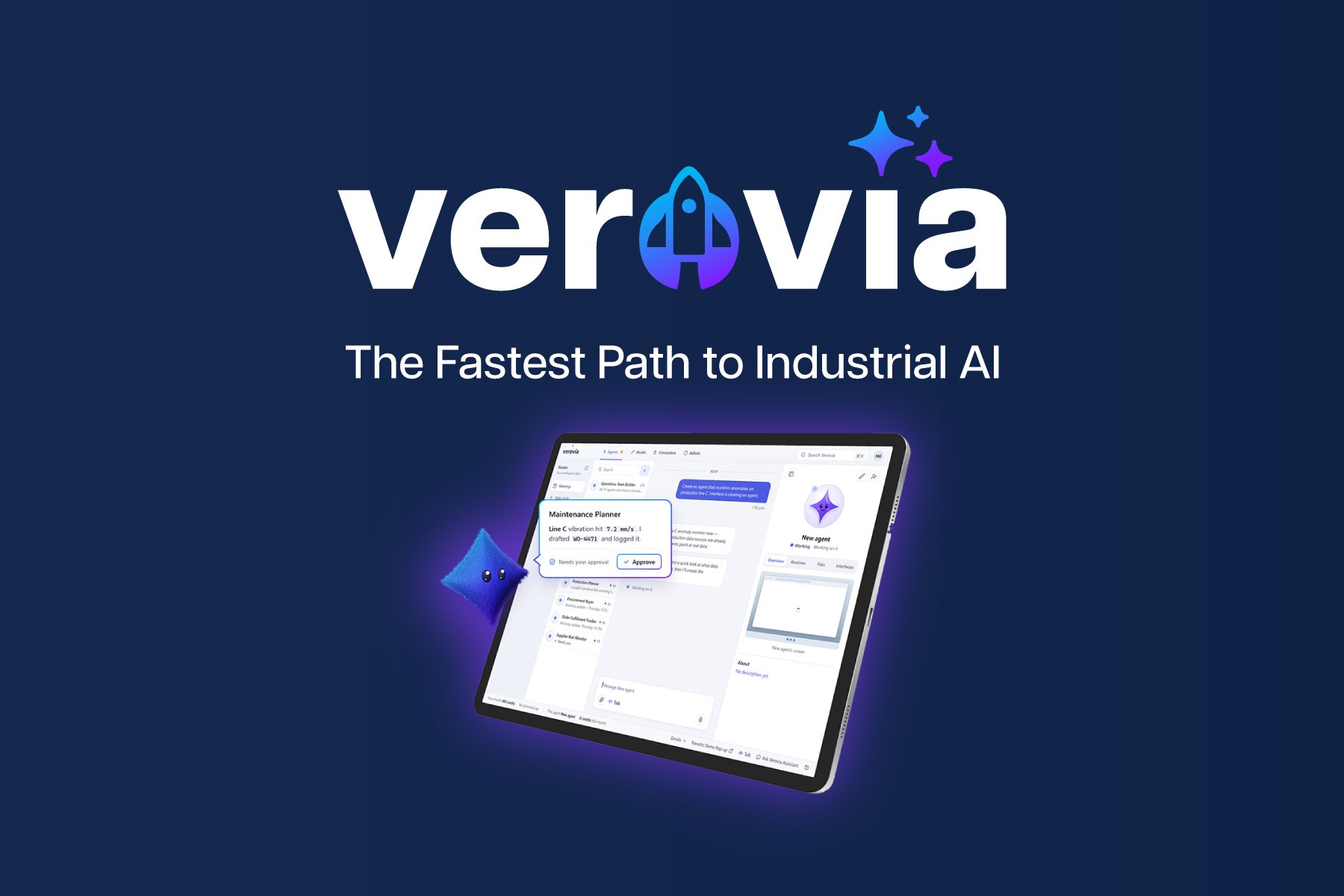
Verovia is an operational AI platform designed to help businesses put AI to work across their existing systems. Create AI agents that carry out tasks, connect them to business applications and data, and build custom AI-powered applications with AI Studio. With governance and controls built into the platform, teams can manage how AI interacts with their systems and executes work.
Ready to see what AI can do beyond answering questions? Start exploring Verovia and put your first AI agent to work.
Frequently Asked Questions About AI Orchestration
What is AI orchestration, and how does it work?
AI orchestration coordinates AI agents, models, data, and applications to execute multi-step business workflows. It manages how tasks move between systems, how information is shared, and when approvals or other controls are required. This allows organizations to automate processes involving multiple AI capabilities and business applications.
What is the difference between AI orchestration and AI agent orchestration?
AI orchestration is the broader coordination of AI models, agents, data, tools, and workflows. AI agent orchestration focuses specifically on coordinating agents, including how they communicate, divide responsibilities, and complete tasks. Agent orchestration can therefore be part of a broader AI orchestration approach.
How does AI orchestration differ from traditional workflow automation and RPA?
Traditional automation and RPA generally execute predefined tasks using configured rules or software interactions. AI orchestration coordinates AI capabilities and agents that can interpret information, support decisions, and perform actions across connected systems. The approaches can work together within the same automated business process.
Why do businesses need AI orchestration to deploy AI agents across existing systems?
AI orchestration helps businesses coordinate agent activity across applications, manage system access, handle exceptions, and monitor workflow outcomes. It becomes particularly relevant when several AI tools or agents must work together to complete processes that involve multiple applications, departments, or approval requirements.
What capabilities should organizations look for in an AI orchestration platform?
Organizations should evaluate integration capabilities, AI agent and workflow management, access controls, approval processes, monitoring, and auditability. The platform should support the applications and data sources already used by the business and provide appropriate oversight of automated actions.