Learn how EAM helps manage fleet maintenance, work orders, inspections, costs, and service history.
What you will learn in this article:
Manage vehicles as enterprise assets using EAM fleet management
Build fleet preventive maintenance schedules based on mileage, engine hours, time, and inspection results
Use work order management to track repairs, labor, parts, and vehicle service history
Improve fleet maintenance tracking with telematics and odometer data
Monitor maintenance costs by vehicle, asset class, and cost center
Manage inspections, documentation, and fleet maintenance compliance tracking
Connect fleet asset management with inventory, purchasing, ERP, and reporting systems
Managing a vehicle fleet and managing heavy equipment for oil and gas operations share the same fundamentals. Both require treating vehicles and mobile equipment as enterprise assets.
However, maintenance information is often spread across spreadsheets, paper inspection forms, accounting systems, and separate fleet management tools. This makes it difficult to track service history, upcoming maintenance, repair costs, compliance requirements, and open work orders across the entire fleet.
Fleet maintenance management software helps organizations centralize vehicle records, service history, inspections, work orders, and cost data so teams can reduce downtime and control maintenance spending. When supported by an enterprise asset management system, organizations can manage each vehicle throughout its lifecycle and connect maintenance activities with parts, labor, purchasing, and financial information.
In this article, you will learn technical, actionable steps for implementing an EAM fleet management system for vehicle fleets with examples, field configurations, and workflows that you can apply.
Why fleet vehicles should be managed as enterprise assets
Treating vehicles as enterprise assets creates a single source of truth for configuration, location, service history, warranties, and financial data. This improves maintenance planning, cost visibility, decision-making, and auditability.
Asset model: Define a top-level asset class called "Fleet Vehicle", with types such as truck, van, car,trailer, and heavy equipment.
Asset hierarchy example: Fleet > Vehicle identified by VIN > Subsystem such as an engine or transmission > Maintainable component.
Items such as brake pads, filters, and fluids are generally managed as inventory parts rather than individual assets. A subsystem or component should normally have its own asset record only when the organization needs to track its independent service history, serial number, warranty, cost, or failure data.
Required asset fields: VIN, registration number, license expiry, odometer, engine hours, purchase date, depreciation method, location, custodian, warranty terms, and lifecycle status.
Configuration tip: Use a unique asset identifier, such as a VIN or company asset tag. Restrict changes to historical fields such as the purchase date and original cost to protect data integrity.
How to structure asset relationships and configurations in EAM
Create parent-child relationships and attach configurable bill of materials (BOM) to each vehicle class. Service tasks, parts consumption, labor, and cost can then roll up to the parent vehicle record.
Follow these steps:
Create asset templates for each vehicle class, with default preventive maintenance tasks and part lists.
Attach a bill of materials for common assemblies, such as brake kits and filter sets.
Use configuration management to record changes such as retrofits or engine replacements, including their effective dates.
Apply lifecycle states such as active, standby, out of service, and retired.
Use business rules to restrict scheduling or spending for retired and decommissioned vehicles.
| Field | Description |
|---|---|
| Asset ID | VIN or company asset tag |
| Asset Class | Truck, van, car, trailer, or heavy equipment |
| Odometer | Current or most recently validated reading |
| Engine Hours | Current reading, when available |
| Location | Facility, operating region, or assigned driver |
| Status | Active, standby, out of service, or retired |
| Warranty Expiry | Warranty end date |
| Cost Center | Financial or general ledger allocation |
How to design preventive maintenance schedules for fleet vehicles
Preventive maintenance uses mileage, engine hours, calendar intervals, and inspection findings to help teams complete service at the appropriate time and manage costs more predictably.
Common PM trigger types include:
Mileage-based, such as every 7,500 miles
Engine-hour-based, such as every 500 hours
Time-based, such as every six months
Inspection-based, when a failed result requires corrective work
Condition-based, when a measurement or fault code passes a defined threshold
A service can use more than one trigger. For example, an oil change may be due every 7,500 miles or every 180 days, whichever comes first.
A PM task record may include the task ID, trigger type, interval, required skills, estimated labor hours, parts list, safety steps, required tools, and completion checklist.
Steps for creating a fleet preventive maintenance program:
Inventory all serviceable vehicle systems and map them to the appropriate asset templates.
Define PM triggers for services such as oil changes, filter replacements, tire rotations, and brake inspections.
Assign estimated labor and commonly required parts from the parts catalog.
Set work priority, scheduling windows, and overdue tolerances.
Enable automated work order generation when a trigger is reached.
Review PM results regularly and adjust intervals based on operating conditions and failure history.
| PM Schedule Trigger | Interval | Typical Tasks | Estimated Labor | Parts |
|---|---|---|---|---|
| Oil Change | 7,500 miles or 180 days | Drain and refill oil, replace filter, complete inspection | 1.5 hours | Oil and filter |
| Brake Inspection | 15,000 miles | Check pad wear and measure rotors | 2 hours | Pads if required |
| Transmission Service | 60,000 miles | Replace fluid and filter | 3 hours | Fluid and filter |
How to integrate PMs with telematics and odometer feeds
To automate preventive maintenance triggers, send odometer and engine-hour readings from telematics systems to the EAM. The system can then create or queue work orders without relying entirely on manual meter entries.
Integration steps include:
Map each telematics asset ID to the correct EAM asset ID.
Define the update frequency based on operational needs, such as hourly or daily.
Transfer fields such as odometer readings, engine hours, location, and fault codes.
Set threshold rules to queue PM work or flag exceptions, such as a service that is overdue by more than 500 miles.
Reconcile telematics readings with manual readings and completed service records.
Add validation rules to identify duplicated readings, unexpected decreases, odometer resets, or missing data.
How work order management improves repair tracking and technician accountability
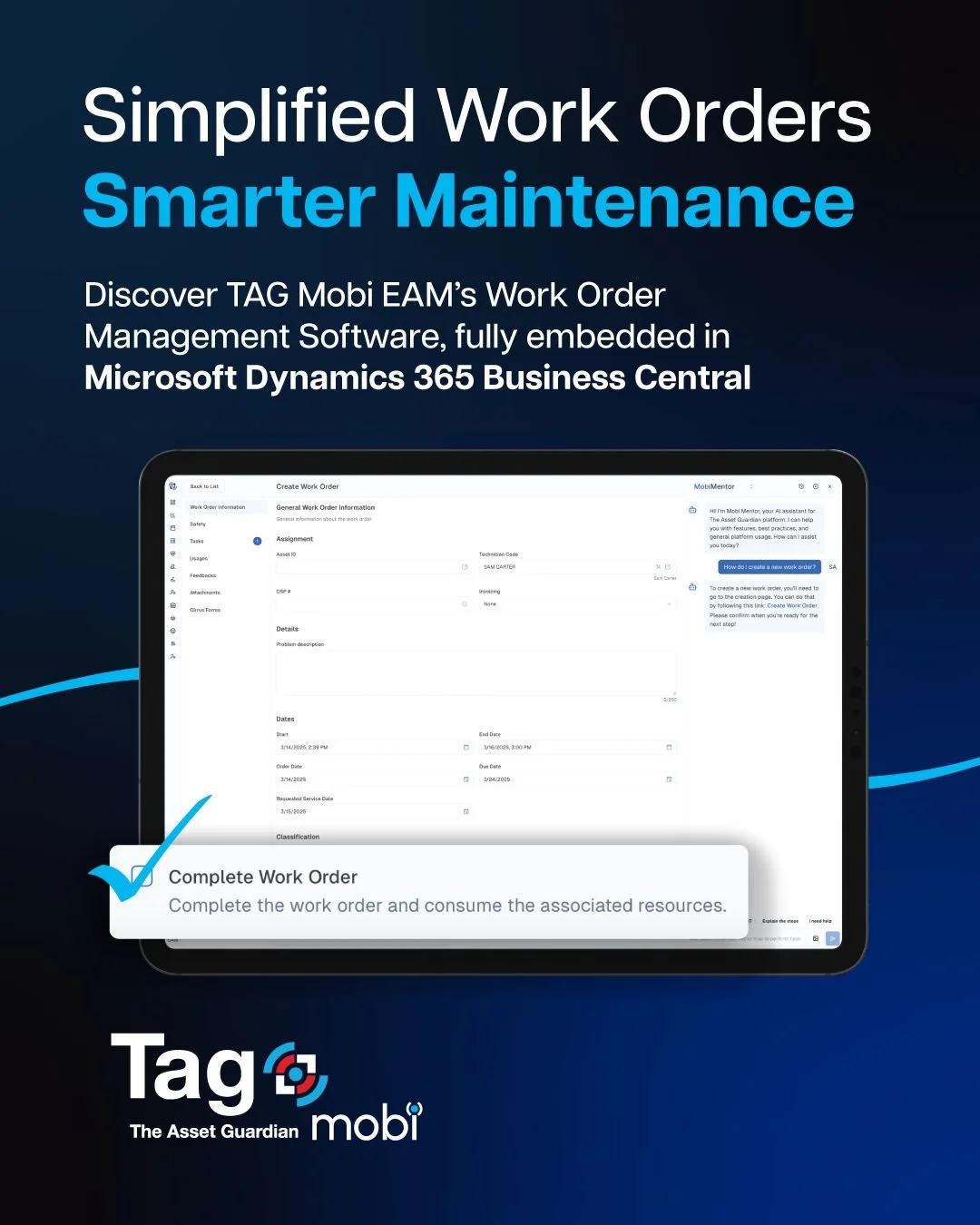
A structured work order lifecycle enforces required data capture, routes approvals, and records labor and parts usage for each repair. Every completed work order also becomes part of the vehicle’s service history, giving teams a complete record of failures, repairs, inspections, and costs.
Recommended work order lifecycle includes:
Request or notification
Scheduled
In progress
Awaiting parts
Completed
Closed or Validated
Core work order fields may include the work order ID, associated vehicle asset, requester, request date, scheduled date, priority, problem description, failure code, assigned technician, vendor, warranty status, estimated labor, parts list, actual labor, status timestamps, attachments, cost summary, and closure notes.
A practical workflow may include:
Automatic creation: PM schedules, inspection failures, or telematics alerts generate work orders.
Triage: A dispatcher sets the priority and assigns a technician with the required skills.
Mobile execution: Technicians record labor, scan part barcodes, review service history, and capture photos from a mobile device.
Review: A supervisor validates completion details, costs, and required inspection results.
Posting: Approved costs are sent to the ERP or accounting system when required.
To improve technician traceability and data quality:
Require technicians to scan part barcodes and record serial numbers for serialized replacement components.
Record start and stop times through the mobile application.
Require closure notes, failure codes, and completed checklists.
Complete a post-repair inspection before closing designated work orders.
How do you implement cost tracking and reporting for fleet assets?
Once maintenance work is connected to each vehicle, teams can begin building a clearer picture of what the fleet is actually costing. Capture costs at the transaction level, including parts, labor, external services, and downtime, and attribute them to the appropriate assets, cost centers, and GL codes. This creates more reliable lifecycle cost reports and helps teams compare spending across individual vehicles and asset classes.
Fuel, depreciation, and other operating costs can also be linked to the vehicle to support total cost of ownership analysis, but they should remain separate from direct maintenance spend.
Steps to implement fleet cost tracking include:
Define cost categories such as parts, internal maintenance labor, external repairs, fuel, overhead, and depreciation.
Separate direct maintenance costs from broader operating and ownership costs.
Map inventory parts to financial accounts and current unit costs.
Require work orders to record labor time and parts consumed.
Link purchase orders and vendor invoices to the appropriate vehicle and work order.
Post approved transactions to the ERP or accounting system with the vehicle asset reference.
Build reports for maintenance cost per mile, total cost of ownership, lifecycle cost by vehicle, and cost by asset class.
| Field | Purpose |
|---|---|
| Work Order ID | Links spending to a maintenance activity |
| Asset ID | Attributes the cost to a specific vehicle |
| Part ID | Records material cost and quantity |
| Labor Hours | Calculates internal labor cost |
| External Service Purchase Order | Records outsourced repairs |
| Downtime Hours | Tracks operational impact |
| Cost Strategy | Separates maintenance, operating, and ownership costs |
Example KPIs include:
Maintenance cost per mile = Total maintenance cost ÷ Total miles driven
PM compliance rate = PM tasks completed on time ÷ PM tasks scheduled
Mean time to repair
Mean time between failures
Maintenance cost by vehicle
Maintenance cost by vehicle class
Percentage of work completed by external vendors
How to allocate overhead and depreciation in fleet cost models
Direct maintenance costs are only part of the total cost of owning and operating a fleet. To build a more complete cost model, use allocation rules in the EAM or ERP to assign overhead based on labor hours, work order costs, vehicle class, or another approved method. Vehicle records can also be linked to depreciation schedules maintained in the financial system.
Create allocation formulas by cost center or vehicle class.
Maintain the depreciation start date and method in the financial master data.
Keep depreciation separate from direct maintenance spending.
Include depreciation and overhead in total cost of ownership reports when required.
How to handle inspections and compliance tracking
Inspections are easier to manage when schedules, forms, results, and follow-up work are connected to the vehicle record. Configure inspection templates, recurring workflows, alerts, and exception handling to help teams complete and document required inspections. Failed inspection items can automatically create corrective work orders and remain linked to the vehicle’s maintenance history.
An inspection workflow may include:
Template creation: Define checklist fields, acceptable ranges, pass or fail criteria, required photos, and signatures.
Scheduling: Trigger recurring inspections based on time, mileage, vehicle type, or operating requirements.
Execution: A technician or driver completes the inspection on a mobile device.
Corrective action: Failed items automatically create or recommend corrective work orders.
Review: Supervisors validate inspection results and follow-up work.
Reporting: Inspection records, audit trails, attachments, and corrective actions remain available for internal reviews and regulatory audits.
Example inspection fields include the inspection ID, vehicle asset ID, inspector, date and time, checklist items, measurements, photos, signatures, and follow-up work order ID.
The EAM can also track expiry dates and reminders for registrations, licences, permits, warranties, and required certifications. Inspection and retention rules should be configured according to the vehicle type, operating location, and applicable requirements.
Integrations and reports to plan for EAM fleet management
EAM fleet management may require integrations with telematics, fuel card systems, parts inventory, purchasing, ERP, and workforce systems. These connections reduce duplicate entry and help teams build a more complete view of vehicle availability, maintenance cost, and compliance status.
Suggested integrations include:
Telematics and automatic vehicle location systems: Odometer readings, engine hours, locations, and fault codes
Fuel management: Fuel costs, consumption, and cost-per-mile analysis
Parts inventory and procurement: Stock availability, purchasing, and supplier lead times
ERP or accounting: Financial postings, purchase orders, cost centers, and depreciation
Workforce systems: Technician qualifications, certifications, schedules, and shifts
Core reports and dashboards may include:
Vehicle availability and utilization by location
PM compliance and overdue service
Work order backlog by priority and technician
Maintenance spend by vehicle, class, and cost center
Parts usage and inventory turnover
Repair history by vehicle
Inspection and compliance status
Vehicle lifecycle and replacement cost analysis
Essential governance and data quality practices
Standardized fields, validation rules, and regular data audits are essential for maintaining reliable fleet asset and maintenance data.
Data governance practices include:
Mandatory fields on vehicle and work order forms
Unique vehicle identifiers and standardized naming rules
Validation of VINs, meter readings, dates, and lifecycle statuses
Periodic data cleansing for duplicate records and outdated locations
Role-based access controls and approval thresholds
Audit logs for changes to important vehicle, cost, and maintenance fields
Build a more reliable fleet maintenance system with TAG Mobi
TAG Mobi brings vehicle records, preventive maintenance, work orders, parts, labor, inspections, and costs together in one EAM platform. Maintenance teams gain clearer fleet visibility while replacing spreadsheets and disconnected maintenance systems.
Because TAG Mobi is embedded in Microsoft Dynamics 365 Business Central, maintenance and financial data stay connected. This helps teams reduce missed service, track high-cost vehicles, and make better repair-or-replace decisions.
See how TAG Mobi can support your fleet maintenance management with an interactive demo.
FAQ
What is fleet maintenance management software?
Fleet maintenance management software is a system that manages vehicle asset records, preventive maintenance schedules, work orders, service history, parts usage, inspections, and maintenance costs across a fleet. It centralizes maintenance information and helps teams plan and document work more consistently.
How does EAM support fleet maintenance compliance tracking?
EAM supports compliance tracking by scheduling inspections, storing completed forms, retaining documents, recording signatures, tracking expiry dates, and creating corrective work orders for failed items. These records provide a traceable history for internal reviews and audits.
How can you track fleet work orders and service history?
Each work order should be connected to a unique vehicle asset record. When technicians complete the work order, the labor, parts, failure information, photos, costs, and closure notes become part of the vehicle’s service history.