


Master Data Management for Microsoft Dynamics 365 Business Central
Sync master data across companies, databases, tenants and NAV versions
Does this sound like your master data setup?
Most Business Central groups reach a point where keeping companies aligned by hand stops working. These are the four situations Wormhole was built for.
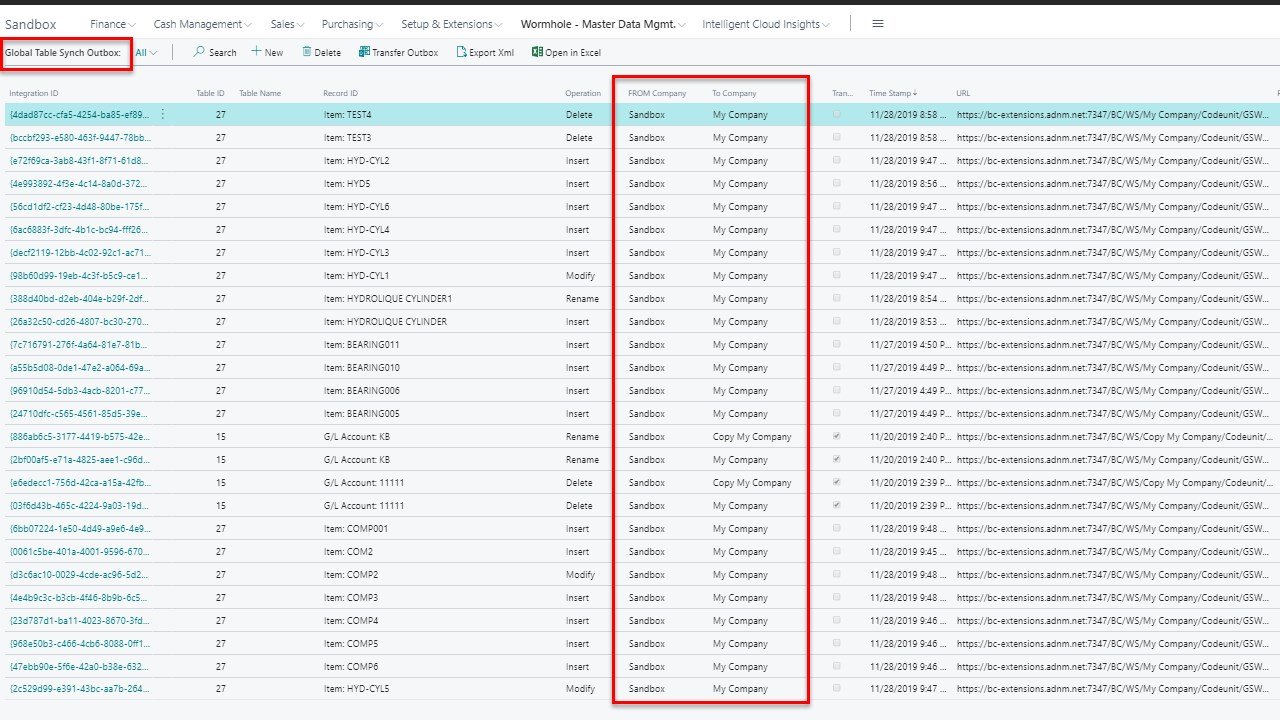
""Our chart of accounts has drifted across subsidiaries." Synchronize the G/L Account table together with its dependent tables — posting groups and posting group setups — so accounting stays consistent across the group. Use field-level filtering to exclude accounts that are local to a specific jurisdiction.
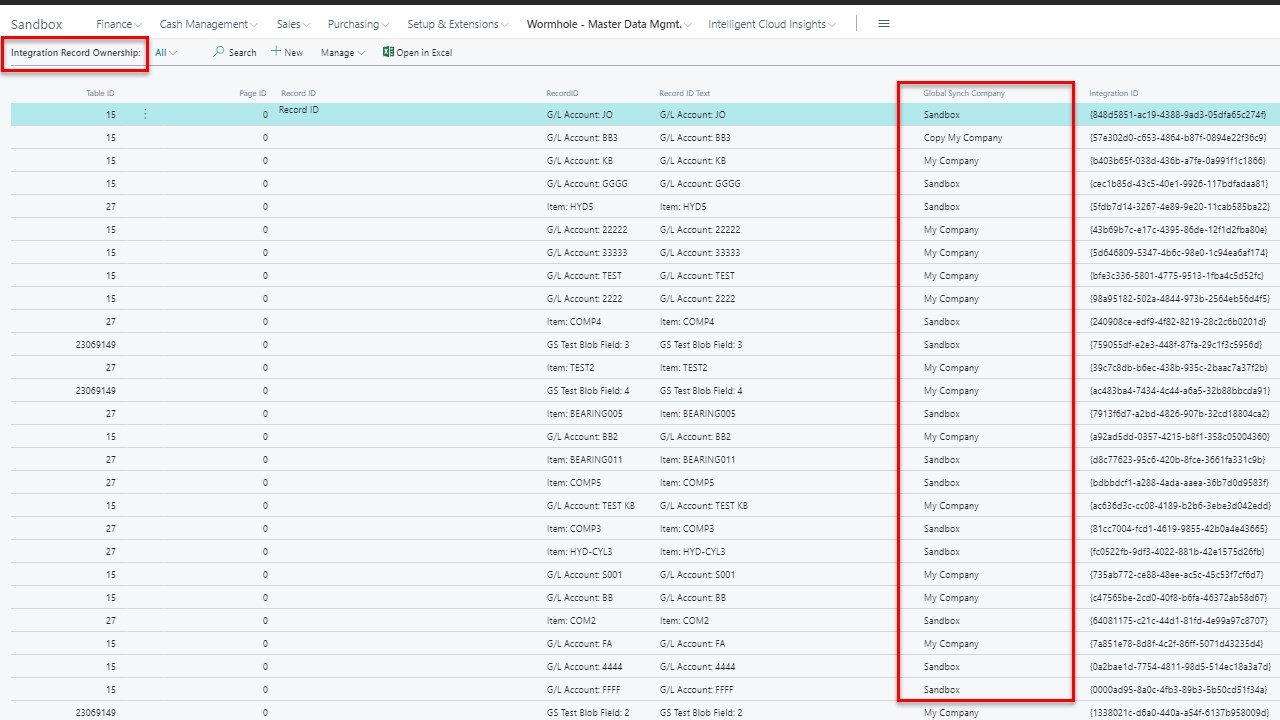
"We re-key the same items into five companies." Synchronize items across companies from a single source, with filtering to exclude items that are only relevant in one place — manufacturing- specific SKUs, for example.
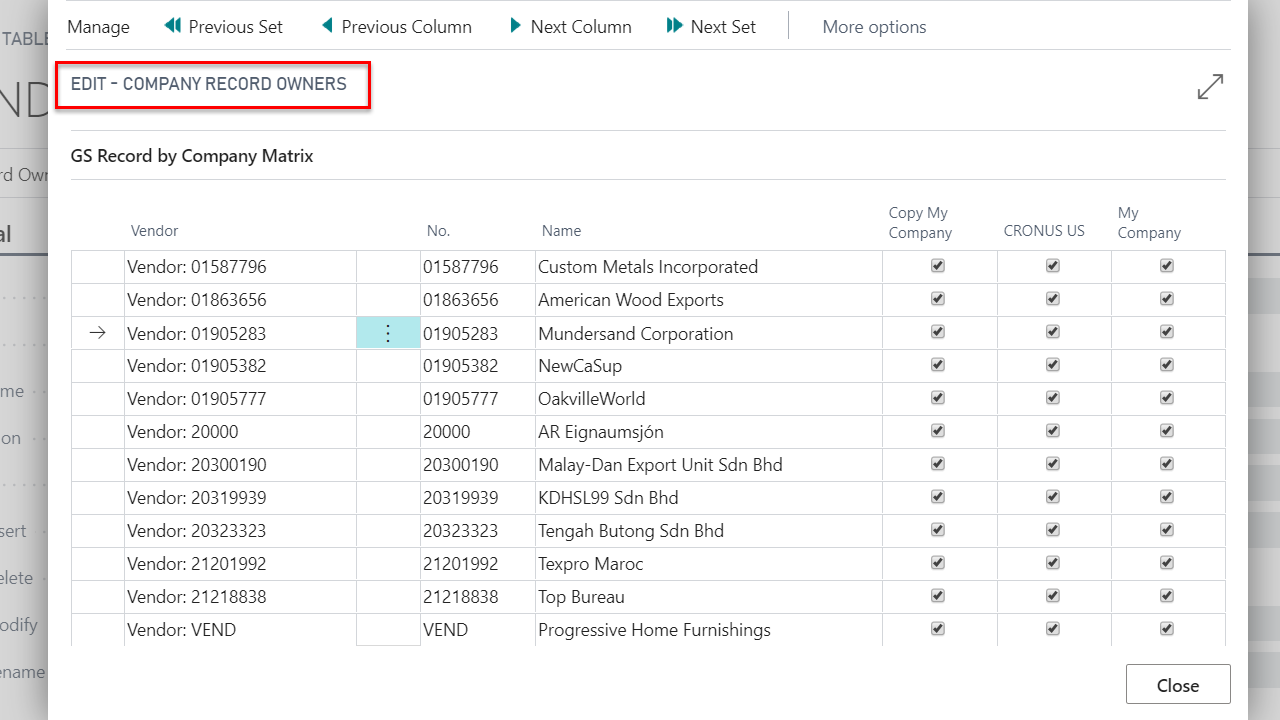
"We’re taking three companies live at once." - Synchronize setup tables, dimensions, posting setups and other shared configuration from a template company. Particularly useful during implementation, when several companies go live in the same window.
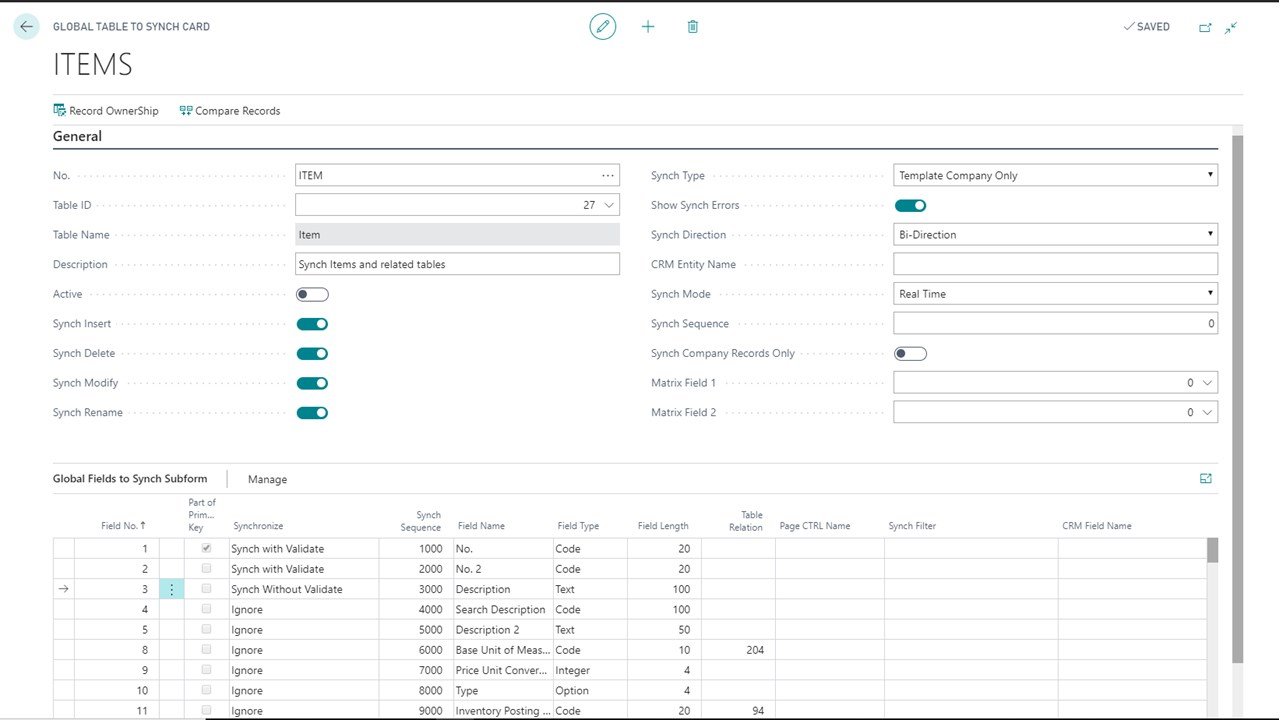
"Our BC online and NAV on-premises environments don’t talk." - Synchronize across separate databases, instances and tenants — including environments running different NAV and Business Central versions.
What native Business Central master data sync can’t do
Business Central includes master data management. For a single-instance online environment syncing standard tables between companies, it works — and if that describes your setup, you may not need Wormhole at all. The limits appear as soon as your environment is more complicated than that.
| Environment | Microsoft Data Sync Feature | Wormhole |
|---|---|---|
| All on-premises installations | × | ✓ |
| All private cloud installations (on-premises) | × | ✓ |
| All multi-instance installations | × | ✓ |
| All installations with multiple NAV/BC versions | × | ✓ |
| BC Online installations with custom/ISV tables | × | ✓ |
| Single-instance BC Online installations | ✓ | ✓ |
Business Central and NAV supported environments
| Environment | Supported |
|---|---|
| Business Central online — single tenant | ✓ |
| Business Central online — multi-tenant | ✓ |
| Business Central on-premises | ✓ |
| Private cloud | ✓ |
| Multiple instances / databases | ✓ |
| Mixed BC and NAV versions | ✓ |
| Dynamics NAV 2013 R2 → current | ✓ |
| Custom and ISV tables | ✓ |
What makes Wormhole different

Sync initialization
During start-up or when a new company is created, you can define all the records you wish to synchronize from a template company to a child company.


Sync groups and alternate keys
Set up an unlimited number of groups of databases, companies, tables, fields, and field values so synchronization can be setup for different data sets and business processes. Alternate keys are also supported.

Data filtering
At field level, Wormhole allows you to filter data in order to synchronize only a subset of data in a table.

Transaction log
In the form of a log, Wormhole allows you to track all synchronization flows made between companies or databases.

Web services for multiple databases
Web services allow records to be inserted, deleted, modified or renamed in real-time so that changes are not cached and only executed when a new company is opened.

Sync rules
Define sync rule at the group level of either unidirectional or bidirectional sync and define a template company.

Record matrix
The Record Matrix allows sync of individual records across companies, one-at-a-time, on a user-friendly interface that displays companies as columns and records as rows.

Real-time or deferred feed
Execute synchronization in real-time as records are updated or by queued batches using the Inbox/Outbox feature.

Error log
The Error Log records all sync errors so that failures are recorded, and subsequent configuration can be fine-tuned to correct syncing.
Choose your plan
Basic
Sync Business Central GL account tables and dimensions.
$300 /mo
$3,600 /yr
✓ Unlimited users
✓ Unlimited sync rules
✓ Unlimited sync groups
✓ Sync initialization setup
✓ Data filters
✓ Field level sync
✓ Unidirectional or bidirectional
✓ Job queue (manual or planned sync)
✓ Outbox/inbox (real-time or deferred sync)
✓ Web services
✓ Record matrix
✓ Transaction log
✓ Error log
✓ Intercompany, inter-database and inter-tenant synchronization
✓ GL account, dimension tables and dimension values sync
X Unlimited Business Central tables and Business Central add-ons sync
✓ OAuth 2.0 authentication
✓ Help Center
Standard
Sync all your Business Central* and Business Central add-on tables*.
Contact Us
✓ Unlimited users
✓ Unlimited sync rules
✓ Unlimited sync groups
✓ Sync initialization setup
✓ Data filters
✓ Field level sync
✓ Unidirectional or bidirectional
✓ Job queue (manual or planned sync)
✓ Outbox/inbox (real-time or deferred sync)
✓ Web services
✓ Record matrix
✓ Transaction log
✓ Error log
✓ Intercompany, inter-database and inter-tenant synchronization
✓ GL account, dimension tables and dimension values sync
✓ Unlimited Business Central tables and Business Central add-ons sync
✓ OAuth 2.0 authentication
✓ Help Center
Questions about pricing?
Frequently asked questions (FAQ)
Pricing questions
-
The Wormhole free trial give you 30-day access to the Wormhole Basic plan so that you would have enough time to work your way through Wormhole’s most essential features.
-
Click on the Free trial signup button on this page, or on the Free trial button from Microsoft AppSource.
Sign up for your free Verosoft account using your Microsoft 365 email.
Install Wormhole 30-day free trial (Basic) plan in your Business Central in just a few clicks and no setup.
-
Yes. We do understand that committing to a payment could be difficult. Especially when it’s a software you haven’t tried yet… but your data is important so a few hundred dollars per year shouldn’t stop you form reaching your goals.
We also understand your schedule can be quite busy. If you forget to cancel the free trial before the end of your 30-day trial and the subscription is automatically renewed, we do provide refunds if notified within 5 days after the 30-day trial ends. See our Refund Policy in our Terms of Use for more details.
-
Use the entire 30-day trial and wait until it expires for the default monthly Wormhole subscription to be auto-renewed at the end of the 30-day free trial period. In this case, the payment method you provided during registration will be charged 300$/month for each month you continue your subscription.
Change your auto-renewal subscription option from monthly to annual at anytime during your 30-day free trial form your Verosoft account. In this case, the payment method you provided during registration will be charged 3600$/year for each year you continue your subscription.
Cancel the auto-renewal of your paid Wormhole subscription before the 30-day free trial expires.
-
When you sign up for a free trial, you are enrolling in a Wormhole subscription product. If you don't cancel the product before the end of the 30-day trial period, the payment method you provided during registration will be charged 300$/month for each month you continue your subscription until you cancel.
-
Yes, we are committed to ensure you fully understand the configuration and functionalities of Wormhole during the trial period. You are provided a Discovery Call with a technical expert who will be able to help you with any questions you may have.
-
Currently the free trial is only for the Basic plan. Contact us for a short demo or if you have any questions about the Standard plan.
-
Wormhole is subscription-based that you can pay either monthly or annually at a discounted price.
The Basic plan price is for one tenant. Within that tenant, you have unlimited databases, companies, and users using the same license.
The difference in pricing for the Standard plan is that you are charged for each company that you sync within the tenant. You can have multiple databases within the same tenant using the same license and you only are required to license the database that contains the most companies.
For inter-tenant synchronization, you require a Wormhole license per tenant, regardless of the plan.
-
Yes, if you choose an annual subscription, you get one month free.
-
Yes. Your plan renews every month or year, depending on the term you chose, which means you can change your subscription at anytime during your plan term to change the auto-renewal of your subscription from your Verosoft account.
-
Yes, you can upgrade your plan at any time from your Verosoft Design account. The effect of the changes will be prorated, and your billing cycle updated accordingly.
-
The Verosoft account allows organizations that use Microsoft Dynamics 365 Business Central to self-manage all of their Verosoft Design products and subscriptions from one centralized and user-friendly platform. When you signup for a Verosoft product’s trial, such as Wormhole, you also signup for your free Verosoft account using your Microsoft 365 email address.
From your Verosoft account, you can:
Trial, purchase, self-manage and cancel Verosoft software products and subscriptions.
Install in just a few clicks Verosoft software products into Business Central with no setup.
Purchase and manage your Verosoft support.
Manage your billing and payment.
Access Verosoft’s Documentation Center.
Note that there can only be one Verosoft account per tenant. The creator of the Verosoft account, so most likely the user requesting the free trial, will automatically be designated as the Master Admin of the account. The Administrator role may be assigned to another user at a later date. The account can be accessed by multiple users with different roles and permissions.
-
All Verosoft software product users receive free product upgrades, in-application assisted set-up, access to a Documentation Center, video tutorials, as well as periodic training webinars.
For help that requires the assistance of our support team, support is available via the Verosoft. Customers are required to purchase a support ticket bundle. If you have problems, you can open support tickets. A service representative will interact with you to respond to your support ticket. When the issue is resolved, the ticket will be closed.
See our Support Policy in the Terms of Use for more details.
-
Of course! Our product documentation is available on the Service Hub.
Technical questions
-
Yes, on the Standard plan. Any Business Central table, including custom tables and tables added by other ISV apps. Native Business Central data sync does not support this.
-
Yes. Synchronization rules can be set at group, table, field or field-value level, so you can keep the chart of accounts aligned while leaving local pricing, language or jurisdiction-specific fields untouched.
-
Yes. Wormhole supports Dynamics NAV 2013 R2 through the current version of Business Central, including environments running different versions simultaneously.
-
Yes. Wormhole synchronizes across databases, instances and tenants, including mixed online and on-premises environments — a scenario native Business Central sync does not cover.
-
More than the G/L Account table alone. Related tables — posting groups and posting group setups among them — need to be included, and load order matters.
-
Yes. Inter-tenant synchronization is supported on both plans and requires a licence per tenant.
-
Currently the free trial is only for the Basic plan. Contact us for a short demo or if you have any questions about the Standard plan.
Ready to sync your master data?
Tell us about your environment — how many companies, how many databases, and what you’re trying to keep aligned.